Changing your password
Because the password for your DHL Business Customer Portal changes regularly, you must also store the new password for the corresponding accounts in the app.
Step 1
Open the Post & DHL Shipping app.
Step 2
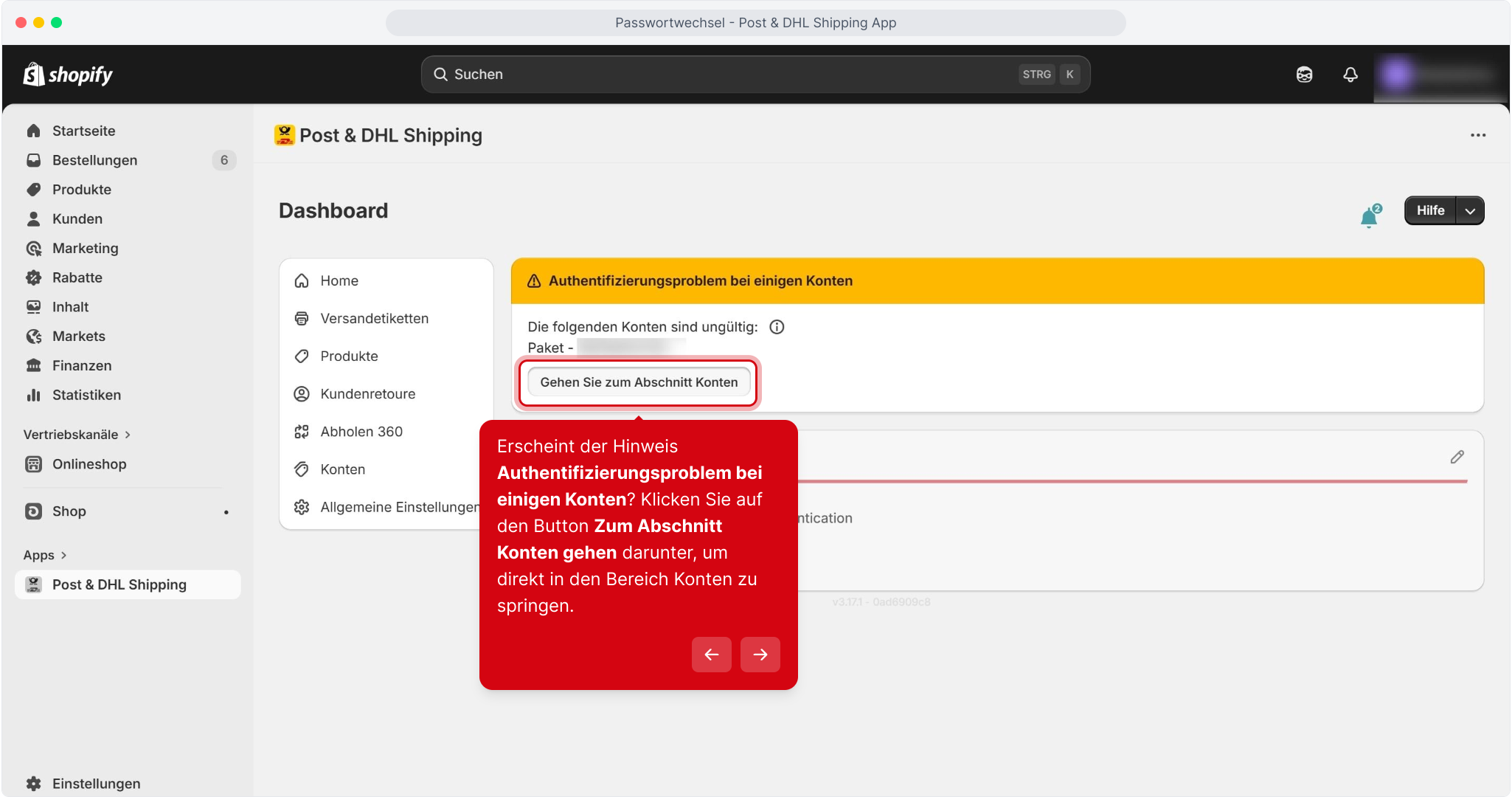
Select Go to accounts section to jump directly to the accounts section.
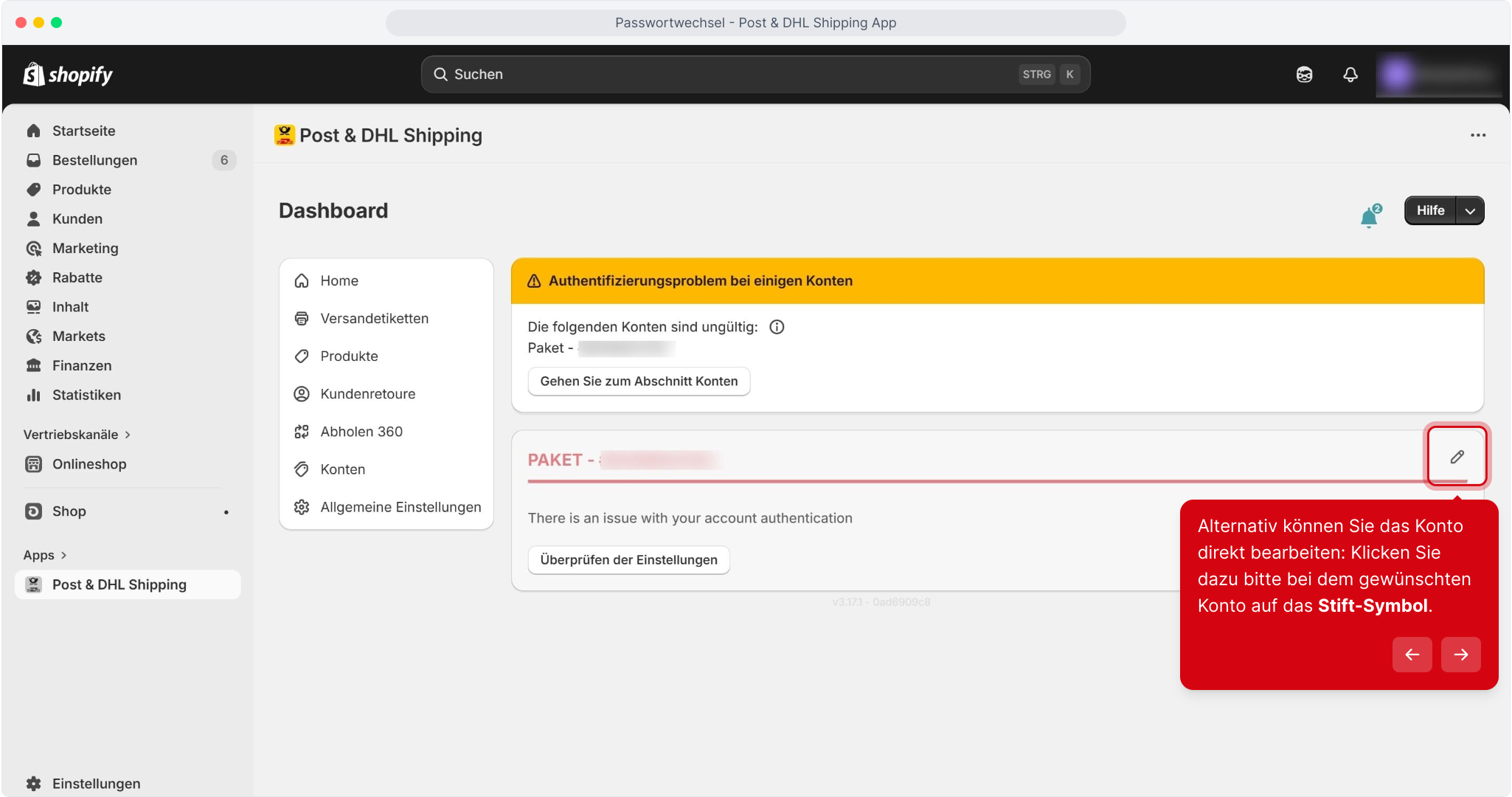
Alternatively, edit the account directly by selecting the pencil icon for the relevant account.
Step 3
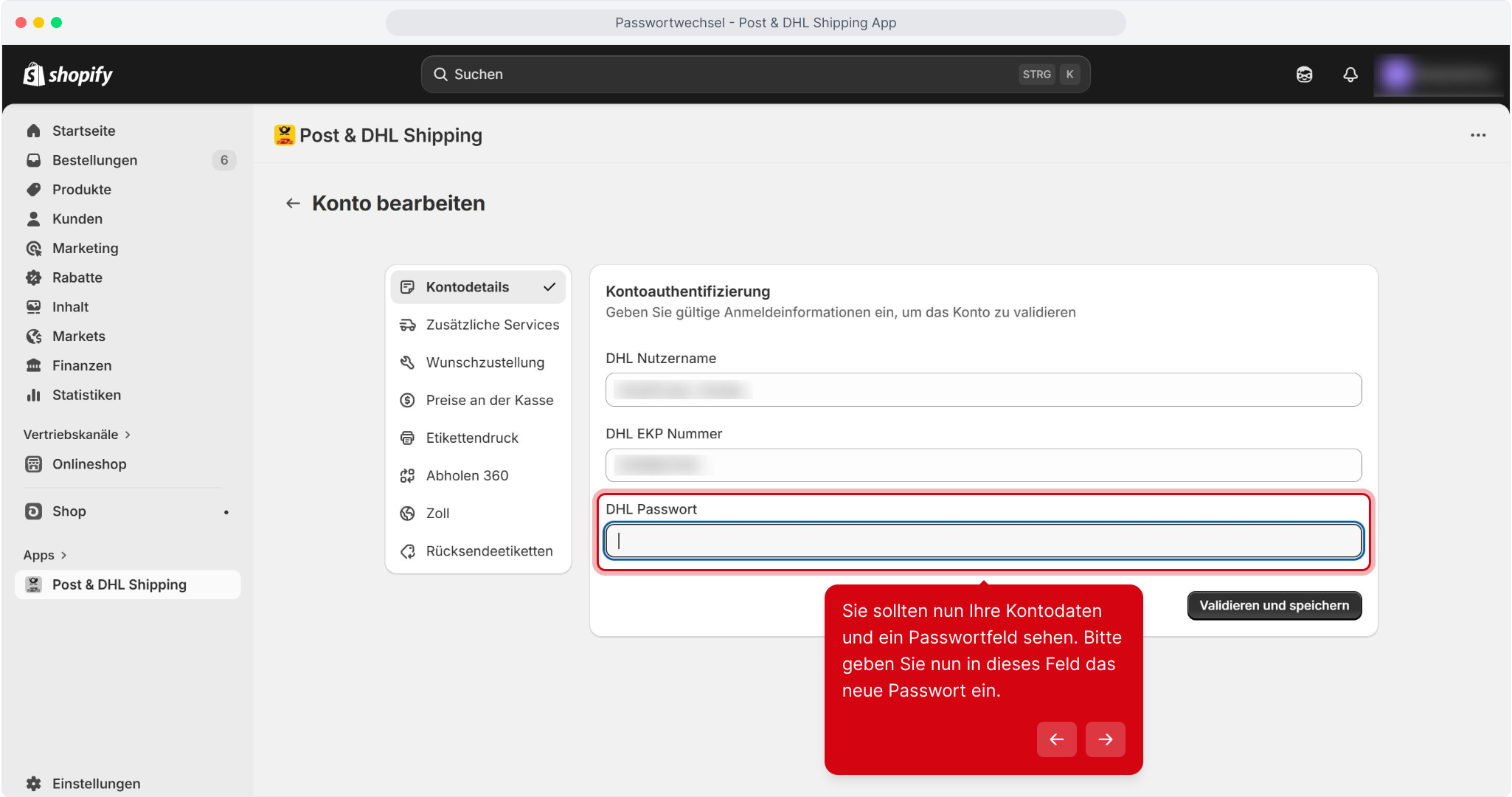
Your account details and a password field should now be visible. Enter the new password in this field.
Step 4
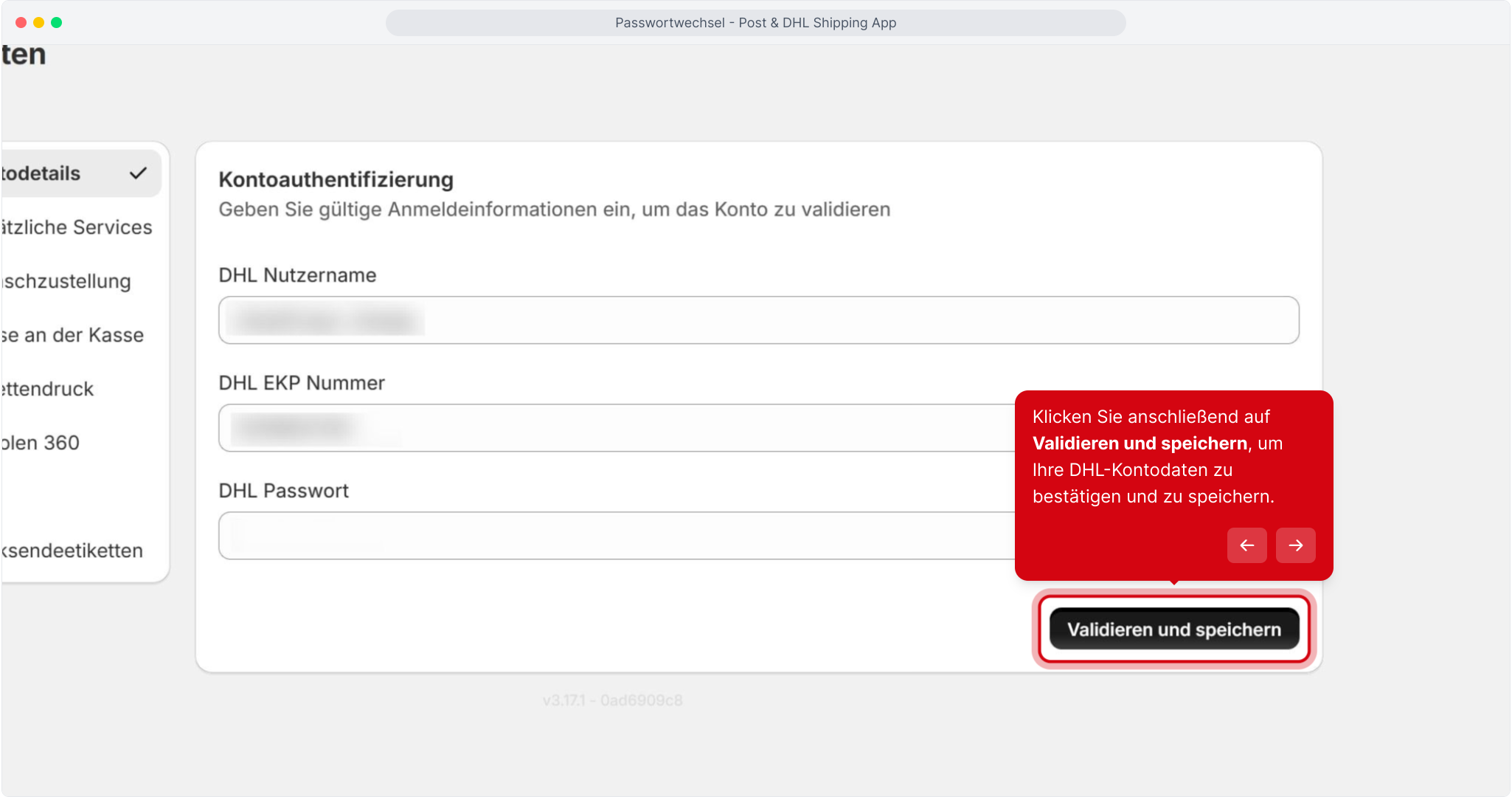
Select Validate and save to confirm and save your DHL account details.
note
If the field described above is not yet displayed, try creating a shipping label with the app. An error message will appear, after which the password field will be enabled.